Restaurant owners
Set booking hours, choose which reservations need deposits and track which links bring in guests.
TableShift gives restaurants a booking page on their own website and a floor plan for the team running service.


“Booking a table, paying a deposit or planning a night out took too much back and forth, and both sides ended up frustrated.”
Yousef founded TableShift in 2025 and built the first version himself.
Set booking hours, choose which reservations need deposits and track which links bring in guests.
See which tables are occupied, which are due to clear and who is next on the waitlist.
Reserve a table online. Use the confirmation email to change the booking, cancel or tell the host you’re running late.
Guests can buy a gift card or prepay for a menu when they book. If they pay a deposit, the host sees it on the reservation and can apply it to the bill.
Try booking a table at our demo restaurant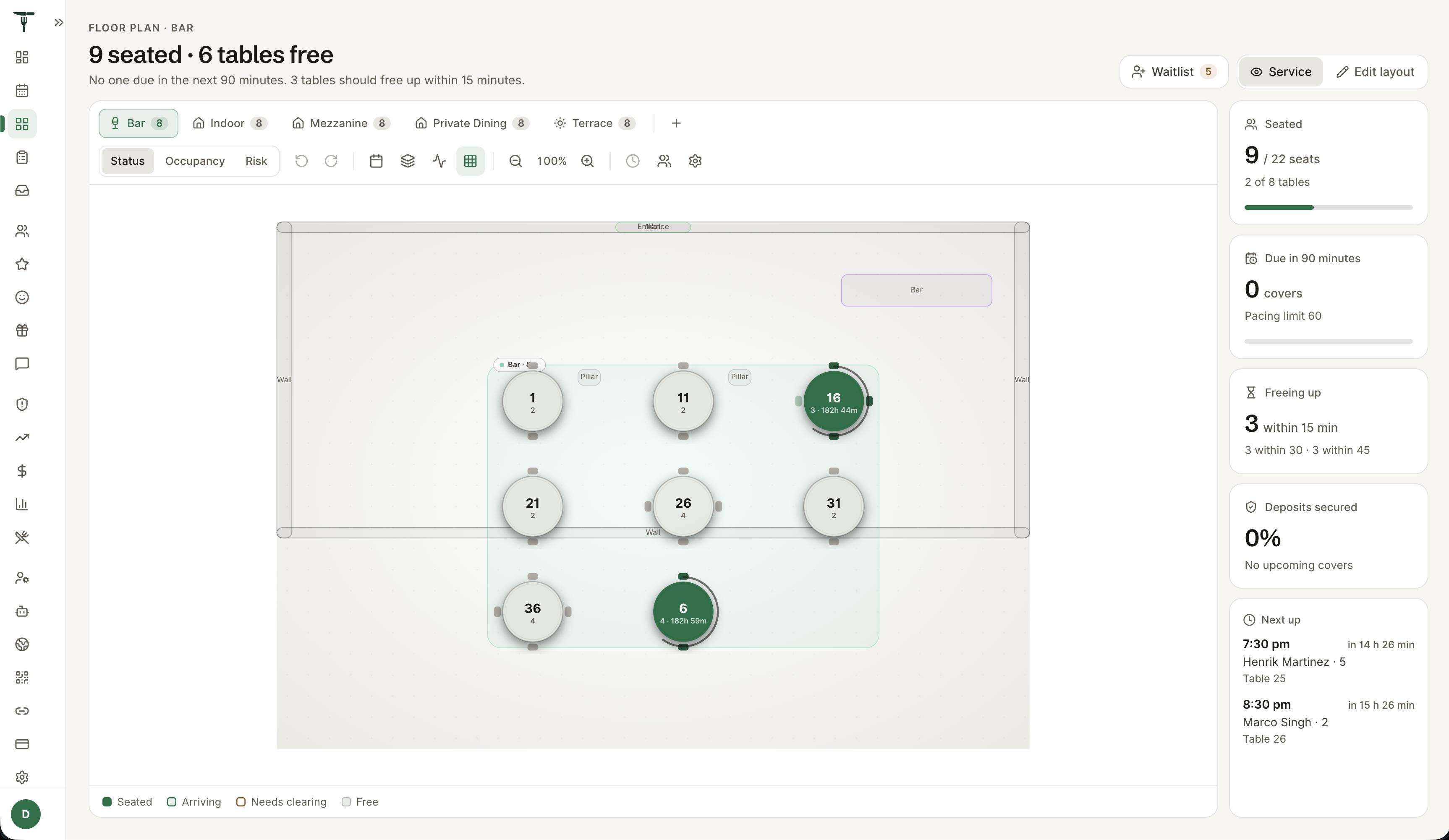
1%
TableShift’s fee on deposits, gift cards and prepaid menus, capped at $149 a month in the US and £119 in the UK.
Request a deposit for a Saturday party of eight and leave a weekday booking for two deposit-free.
Payments go to the restaurant’s Stripe account. The restaurant pays card processing.
Start with opening hours and tables. The setup assistant can import a menu. Connect Stripe to accept payments, then add the booking widget to your website or share the link.
For setup questions, contact Yousef at yousef@tableshift.co. For help with your TableShift account, email support@tableshift.co.
Find TableShift on LinkedIn, Instagram, Product Hunt and Capterra.